I never received the password reset email.
First, check your spam, junk, or promotions folder. The email may take a few minutes to arrive.
If you still don't see it, make sure you're using the same email address you used for your Watertown Gardens membership.
If it still doesn't arrive, please contact us and we'll be happy to help.
I don't remember which email address I used for my membership.
Try the email address where you normally receive our newsletters or membership confirmations.
If you're still not sure, contact us and we'll look up the email address associated with your membership.
It says my email address isn't recognized.
This usually means you're trying to sign in with an email address that isn't associated with your membership.
If you've changed your email address since joining, or believe this is an error, please contact us so we can update your account.
I already have an account, but I forgot my password.
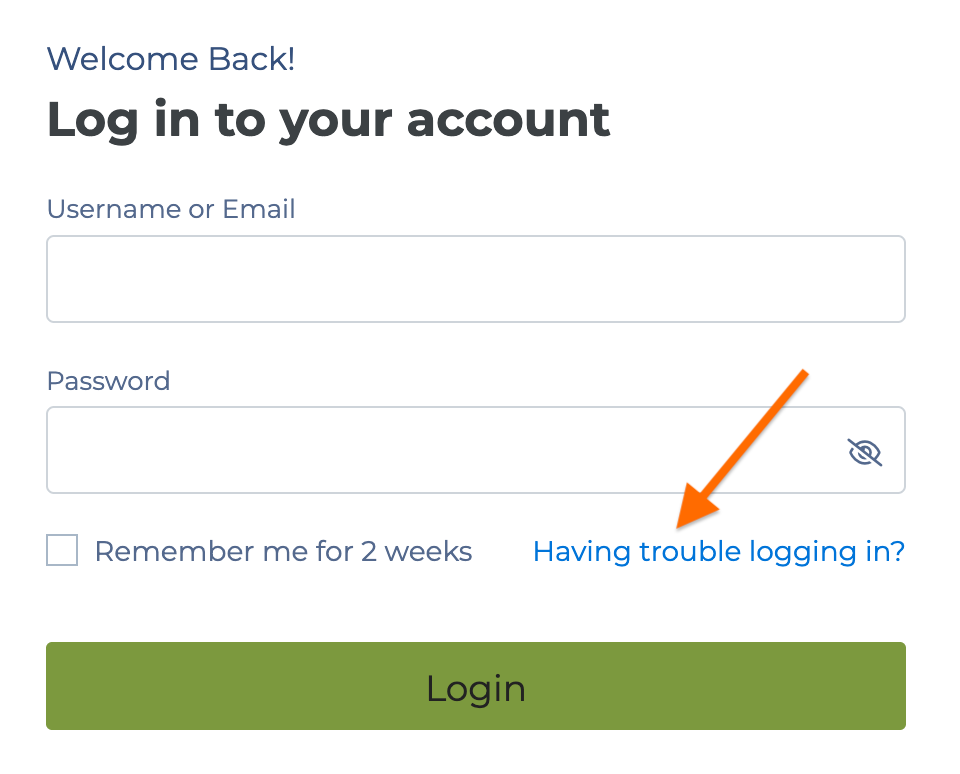
On the login page, click Having trouble logging in? and enter your email address. We'll send you a link to create a new password.
I successfully signed in, but some of my information is incorrect.

You can update most of your contact information directly in the Member Portal.
If your membership status or other account information looks incorrect, please let us know so we can investigate.
Can two family members use the same email address?
Each portal account is tied to a single email address. If multiple members share an email address, please contact us so we can discuss the best option for your situation.